
A client of mine provisions cloud infrastructure through GoCloud. They run two GoCloud instances, one for test and one for production. The test instance spins up Linux servers and other cloud resources, engineers use them for a few hours or a few days, and then they are retired.
The problem was Discovery. Every one of those short-lived test servers got discovered, identified, and created in the CMDB as a real Linux server CI. Then the server was retired in the cloud, Discovery stopped seeing it, and the CI sat there going stale. Nothing updated it, nothing retired it, and the next test cycle added a fresh batch on top. Over time the Linux server class filled with records that were never meant to be managed and that no longer existed anywhere but the CMDB.
That has two real costs. ServiceNow ITOM licensing is counted on discovered CIs, so every throwaway test box was a licensed server for as long as it sat in the table. And the count itself was wrong. When governance or compliance asked how many Linux servers the estate had, the CMDB gave a number that included machines that had lived for a day and been gone for months. A CMDB that inflates your bill and misreports your estate at the same time is failing at the one job it has.
The servers had one thing going for them. The naming convention was strict. Test servers from the test GoCloud instance carried a recognisable prefix, production servers carried another. So the fix was obvious in principle: if Discovery sees a server whose name says test, don’t create it.
The question was where to put that logic. Patterns can’t do it. And that question is what this two-part series is about.
What patterns cannot do
Discovery patterns are good at one thing: talking to a target, running a sequence of steps, and producing a payload of CIs and relationships for the Identification and Reconciliation Engine (IRE) to write to the CMDB.
They are bad at two things that come up constantly.
They cannot read the CMDB. A pattern doesn’t know what already exists, so it cannot look up a location, a company, an assignment group, or a related CI and set a reference field to it. If you set a reference field in a pattern step, you set it to a string, and the string does not resolve to a sys_id. The record lands with a blank reference.
They cannot decide not to write. A pattern either produces a payload or fails. There is no step that says “this CI is not worth keeping, drop it.”
For the GoCloud problem I needed the second one. For a reference field problem I would need the first. Both live in the same place.
Where the feature lives
In the filter navigator, go to Pattern Designer › Pre Post Processing. ServiceNow uses this feature itself to fill gaps its own patterns leave, which is the strongest hint that it is safe to build on.
Each record has a name, a script, a type, and a list of patterns it applies to. One script can serve many patterns. If the logic is generic you attach it to every pattern it applies to. If the logic is specific (filter GoCloud test servers) you attach it to the one pattern that discovers them.
The records carry a read-only flag that says they only apply to horizontal discovery. Ignore it. They run for horizontal and top-down (Service Mapping) discovery alike.
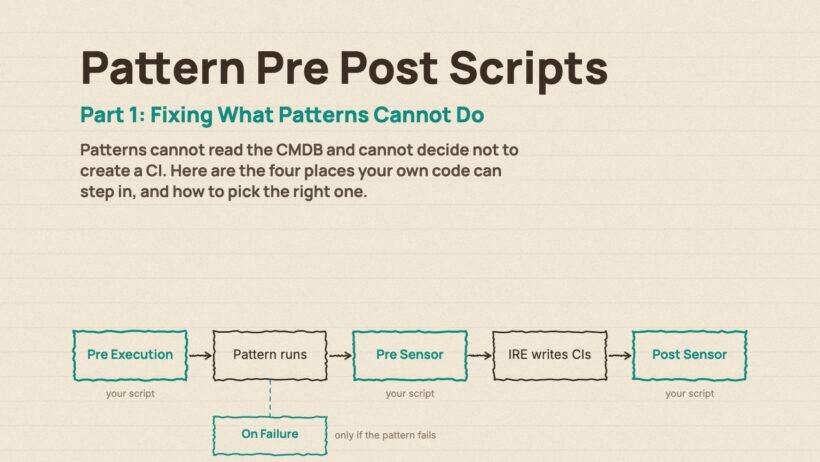
The four types and where they sit in a run
Pick the wrong type and your script either sees data that isn’t there yet or runs after the damage is done. So the order matters more than anything else in this article.
Pre Execution runs before the pattern starts. Its job is to hand data into the pattern. You build a SNC.PrePatternExecutionData object, add strings, lists or table rows to it, and the pattern can read them as variables during its steps. You can also call executePattern(false) on it to stop the pattern running at all.
Pre Sensor runs after the pattern finishes and before the IRE processes the payload. You receive the payload as a JSON string, parse it, change it, and hand it back. Everything the pattern discovered is in there: each CI as an item with a className, a values map of attributes, and the relationships between items. This is where you fix reference fields, add attributes you looked up from the CMDB, add relationships between items in the same payload, or remove items you don’t want written.
Post Sensor runs after the IRE has processed the payload. The CIs now exist in the CMDB and the payload carries their sys_ids. This is where you create relationships between what was just discovered and what already existed, or to CIs that were never part of this payload at all.
On Failure runs when the pattern fails. Cleanup, logging, notifying, whatever you need when a run goes wrong.
The order in a single run is: Pre Execution, then the pattern, then Pre Sensor, then the IRE, then Post Sensor. On Failure sits off to the side and fires only when the pattern itself fails.
What every script has to return
When you create a new record the script field is pre-filled with a template. Keep its skeleton. Every pre sensor and post sensor script has to end by returning an object shaped like this:
var rtrn = {};
var payloadObj = JSON.parse(payload);

rtrn = {
    'status': {
        'message': 'Describe what happened',
        'isSuccess': true
    },
    'patternId': patternId,
    'payload': JSON.stringify(payloadObj)
};
Three rules hide in there.
status.isSuccess decides whether processing continues. Set it to false in a pre sensor and the IRE never sees the payload. Nothing is written. That is the blunt instrument for “do not create anything from this run.”
payload must be returned as a string in a pre sensor script. You parse it to work on it, you stringify it to give it back. Forget the stringify and the IRE gets an object it cannot read. In a post sensor script returning the payload is optional, because the IRE has already done its work.
patternId comes in as an input and must go back out untouched.
Pre Execution has a different shape. It returns the PrePatternExecutionData object itself rather than a status wrapper.
Pre or post, which one
Here is the rule I use.
If you are changing what will be written, use pre sensor. Reference fields, extra attributes, relationships between items in the same payload, and dropping items you don’t want. The IRE hasn’t run, so you are shaping its input.
If you need the sys_id of what was just written, use post sensor. Relationships to CIs that already existed before this run, and anything that has to look up the freshly created record.
The GoCloud test servers are a pre sensor job. I want the Linux server to never exist. If I did it in post sensor I would be creating the CI and then deleting it on every discovery cycle, which is worse than the original problem because now the audit history is full of churn too.
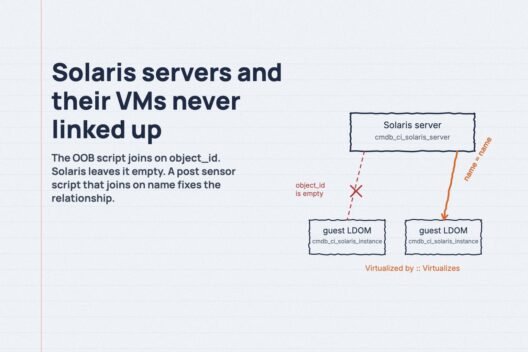
The Solaris server-to-VM fix I wrote up earlier is a post sensor job. Both CIs had to exist before I could relate them, and one of them was only there because the IRE had just created it.
Get that split right and the rest is ordinary GlideRecord work.
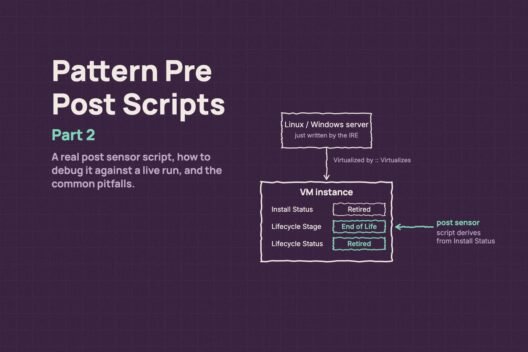
What’s in Part 2
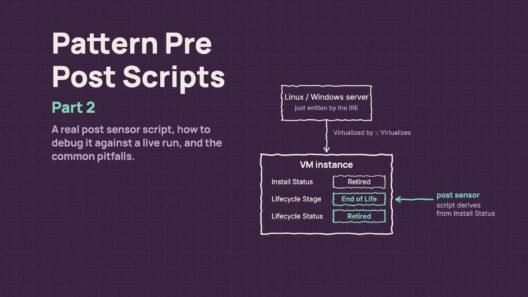
Part 2 is the practical half. A post sensor script that runs in production, how to read the payload structure, how to attach the Script Debugger to a real discovery run so you can step through your script line by line, and the traps I’ve hit in the field, including the one where the payload variable turns out to be null.