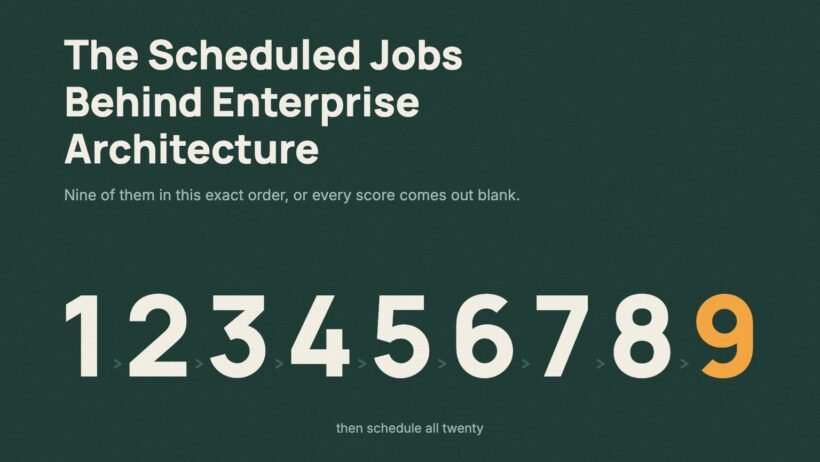

Open EA Workspace for the first time after installing the plugin and here is what you usually see. The capability map is there, the applications are there, and every score is blank. The technology risk view says nothing is at risk. Nothing is broken. Nothing has run yet.
Everything on those screens is written by scheduled jobs. About twenty of them, all under All > System Definition > Scheduled Jobs, all needing admin. They come in two kinds. Nine of them depend on each other and must run in a fixed order. The other eleven are independent and run whenever the data changes. This article takes the nine first, because that is where things go wrong. Job names are given exactly as they appear on the instance so you can search for them.
Run these nine in order
Each job in this list writes something the next one reads. Run them out of order and the later jobs finish successfully with empty input and write zeros. Nobody gets an error.
| # | Job | What it produces | If you skip it |
|---|---|---|---|
| 1 | [PA Incident] Daily Data Collection | The day’s incident counts per application | Every application looks incident-free, so stability-weighted scores rank them all the same |
| 2 | [PA Change] Daily Data Collection | The day’s change counts | Change volume vanishes from scoring, so a volatile application scores like a stable one |
| 3 | [PA Problem] Daily Data Collection | The day’s problem counts | Problem-based indicators go blank and the profiles that use them score on incidents alone |
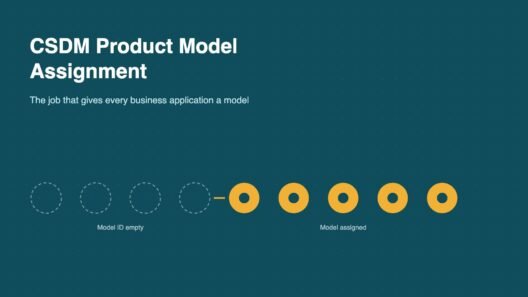
| 4 | CSDM Product Model Assignment | A product model and Model ID for every business application | Application lifecycles and product capabilities cannot be created |
| 5 | Populate TPM Discovered Technologies and Lifecycles | Which technologies each application runs on, in sn_apm_tpm_discovered_technology | Technology portfolio is empty |
| 6 | Populate Number field in TPM Discovered Technologies | The Number field on those records | Discovered technologies have no reference number, so nobody can cite or track a specific one |
| 7 | Populate Technology Lifecycle Risks | A risk score per technology, service and application, in sn_apm_tpm_technology_risk | Risk view shows nothing at risk |
| 8 | Populate TRM technical debts in the EA Workspace | Technical debt per software product, in sn_apm_trm_standards_technical_debt | Technical debt view is empty |
| 9 | Load Application Indicators and compute Application Scores | Indicator, application and capability scores, in apm_app_indicator_score and apm_app_score | Every score is blank |
Job 9 is last because it reads what all the others produced. Jobs 1 to 3 are first because 9 needs them and nothing else does. Jobs 5 to 8 sit in the middle and each feeds the next.
Five of the nine have something worth knowing beyond the table.
CSDM Product Model Assignment (job 4). On an existing CMDB most business applications have no product model behind them. This job creates one (application model, service model or software model) and fills the Model ID field. Run it once when you first set EA up, then only after loading a batch of new applications.
Populate TPM Discovered Technologies and Lifecycles (job 5). This is the job that makes the technology portfolio real. For each business application it follows Consumes::Consumed by to the application services, reads svc_ci_assoc to find the computers behind them, and captures their hardware models and software installs. So when EA says an application runs on Oracle 19c and Java 11, this is where that came from. It also means TPM is only as good as your service maps. An application with no application service, or a service with no computers, produces nothing. Empty technology views are almost always a CMDB relationship problem, not a TPM problem. Progress shows as Records Processed in sn_apm_tpm_discovered_technology_run_log.
Populate Technology Lifecycle Risks (job 7). The only job with a documented default schedule, monthly, and the only one at a different path: All > System Scheduler > Scheduled Jobs > Scheduled Jobs. It works from each technology’s end of support, end of extended support and end of life dates.
Populate TRM technical debts in the EA Workspace (job 8). Needs SAM Foundation or SAM Professional, because the product catalogue it compares against comes from SAM. Without SAM the job exists but has nothing to compare.
Load Application Indicators and compute Application Scores (job 9). Setup is specific. On the job record set Run (Daily, Weekly or Monthly), set Time, set Run as to System administrator, save from the form header, then Execute Now. Scores are generated according to the Frequency field on each Indicator record, on the last day of that fiscal period.
If you are loading history rather than a single day, run [PA Incident] Historic Data Collection, [PA Change] Historic Data Collection and [PA Problem] Historic Data Collection in place of jobs 1 to 3, then regenerate EA scores for the period. Regeneration deletes the existing scores for that period, daily ones included, and creates new ones. Anything older than six months needs the Performance Analytics Premium for Enterprise Architecture plugin, com.snc.pa.premium.apm.
Run these when the data changes
None of these depend on another job. They tidy the capability map, report on gaps, or ask an owner to confirm data. In practice I run the hierarchy jobs and the three audits together, straight after any capability import and again before each certification cycle, so the owners are certifying a map that is already clean.
After any bulk change to business capabilities
- Update Business Capability Levels and Hierarchy IDs rebuilds the order and level numbers in the capability map.
- Update Capability Hierarchies In Grid does the same for the Business Portfolio page and assigns a hierarchy ID to newly created capabilities. Installed with EA Workspace.
To find relationship gaps (all three read cmdb_rel_ci and feed the Portfolio and Insights sections)
- Business Applications not related to any Business Capability audit finds applications nobody placed on the map.
- Business Applications related to multiple Business Capabilities in the same hierarchy finds applications placed twice at the same level, usually two teams mapping independently.
- Orphaned Business Capabilities finds capabilities with no parent, no children and no applications, usually leftovers from an imported reference model.
To certify data with its owners
- Business Application Certification Quarterly creates certification tasks on
cmdb_ci_business_appevery quarter. - Business Application Certification On Demand does the same when you need it now.
- Application Service Software Model Certification On Demand targets whoever is set as Software Model Owner.
- Software Product Lifecycle Internal Source Certification on Demand certifies the full version field in
sam_custom_sw_product_lifecycle.
One that is not a scheduled job
- Update TPM Data is an action on the three-dot menu of a business application in EA Workspace. It refreshes technology data for that one application or service, needs
sn_apm.apm_user, and is the button to press when you have just fixed one service map and want to see the result without waiting for job 5 to run again.
Three things the documentation does not make obvious
Nothing has a default schedule. Apart from the monthly lifecycle risk job, the documentation gives no cron or frequency for any of these. Every task page says Execute Now. Frequency is your decision, so read the actual Run and Repeat Interval on each job record on your instance.
One job has two names. The lifecycle risk job is documented as both “Populate TPM Technology Lifecycle Risks” and “Populate Technology Lifecycle Risks”, both writing sn_apm_tpm_technology_risk. Check the literal name on your instance before referencing it in a runbook or script.
A stalled run can be restarted. A discovery job idle for an hour can be restarted safely. Watch Records Processed in the run log first, to tell slow from stuck.
Back to that blank workspace
There was no defect to raise. The scores were blank because nothing had produced them yet. Running the nine jobs once, in order, filled every view, and scheduling all twenty kept them filled.
The next article covers the system properties that decide what these jobs produce, starting with the one filter that stops TPM importing every font and screensaver it finds.
These jobs sit inside a larger order of work. The Enterprise Architecture implementation sequence shows where each one falls across the eight steps.